Steamworks Documentation
Developer, Publisher, and Franchise Sale Pages
Steamworks Documentation > Store Presence > Promo Event Tools, Rules, and Guidelines > Developer, Publisher, and Franchise Sale Pages
Overview
Developer, Publisher, and Franchise Sales are custom sale pages that Steamworks Partners are eligible to run once a calendar year.These pages live independent of your Creator Home, have a different / customizable URL, and is also shown differently on Steam.
Here are a few examples from over the years:
- Developer / Publisher Sales - like the Klei Fest Publisher Sale, the Kalypso Anniversary Sale or the Hooded Horse Publisher Sale.
- Franchise Sales - such as the Fallout Franchise Sale or the Tropico Franchise Sale.


How It Works
1. Creator Home
First, you'll need to set up your Creator Home, as this group is the owner of your sale event and it needs to be correctly linked to the games that you'd like to have participate in your event.2. Submit a Sales Questionnaire Ticket
At least three weeks ahead of the start of your event, submit a ticket to get the process started. Once you've confirmed that you've read the rules, Steam will enable a sale page so you can begin building your event. At this time, your event will be reviewed for any potential curated homepage featuring. The calendar does fill up in advance, so if you're seeking featuring, making your request at least three months in advance helps make sure we can slot you in. Most pages will not meet the bar for homepage curation, so don't be discouraged if your page doesn't qualify.3. Design & Build Your Page
Once you've been approved to start building your sale page, the Events Team will enable the event tools so you can stage a Sale Page and start building your sale. You can reply to your open ticket at any time with questions. Remember, as a "Sale" event, you'll want to make sure that the discounts are front and center; it should be the first thing that customers see when they land on the page.4. Submit Your Page For Review
Once you've got everything set up, you'll need to submit your sale page for review. The Events team will make sure that you're following all of the guidelines and potentially provide some light feedback on the page organization or art. Click 'Request Review' in the ‘Sale’ tab of the Sale Event Editor. Reviews typically take 2–3 business days, so be sure to plan this into your own timelines for launch.5. Publish Your Event
Once your sales event has been approved, you’re free to publish it whenever you’re ready. Keep in mind that, once published, this will immediately trigger your event's automatic visibility as outlined in Event Visibility. If your sale page was approved for curated home page featuring, be sure to publish (or stage for publish) ahead of when that activity goes live.Rules & Guidelines
Eligibility
Games are eligible to appear in one sale event per type every calendar year. For example, Portal would be eligible for both a Portal Franchise Sale as well as a Valve Publisher Sale.If your game was worked on by multiple developers, multiple publishers, or sits across multiple franchises, you'll need to select which one makes the most sense for your title. If you have an unusual use case, come talk to us about it.
Sections like "Games From Our Friends" and other non-associated titles are not eligible to appear on your sale page. You'll find that the sale page automatically flags any game that isn't part of your Creator Home, as those are not allowed on your sale page.
Timing
While not required, we generally see partners choosing to run these at approximately the same time during the year. Many like to anchor against an anniversary event, or an important milestone date. We ask that you keep these at least six months apart if possible.Discounts
As implied by the label of "sale", these events should be focused around your portfolio discounts. Upcoming games are welcome to be on the page, but the focus should be on discounted titles - a majority of your catalog, if not all of it, should be on discount. The discounts should be front and center.For partners with F2P games, there should be something special occurring in-game to celebrate the sale, whether that is an in-game event, in-game cosmetics, or something in between.
Layout
Discounted offers should be presented at the top of the sale page. While upcoming titles, pre-purchase titles, and other non-discounted items like demos are welcome to be part of the page, it should generally be further down on the page. This sale page should be celebrating the whole catalog, not an individual game, so be sure the page doesn't read as an advertisement for any particular game in the catalog - even if it's your newest title, customers are expecting to see the entire catalog.Curated Home Page Featuring
Developer / Franchise / Publisher sale pages can be additionally promoted on the home page of Steam as a Daily, Midweek or Weekend Deal. Your page will be automatically considered for these feature opportunities once you've submitted the sales questionnaire ticket.Eligibility
A minimum of three paid titles are required for home page featuring. We tend to approach each decision from the customer's perspective - so having one strong title is generally not sufficient. We'll evaluate your catalog as a whole, based on demonstrated current customer interest. A Publisher Sale that was eligible for a Spotlight last year may drop into a Daily Deal (or into no featuring at all) depending on how customer interest has changed over time.Additional Requirements
Curated sale pages have additional asset requirements, and take extra time to set up due to localization requirements. If you're seeking curated placement, be sure to reach out at least three months in advance to allow enough time to complete all tasks.Sale Page Visibility On Steam
Steam will also promote your Developer / Publisher / Franchise Sale in a few places across the Store.Sale Event News Hub & Special Events Page
When your event begins, it will appear in the Sale Events News Hub and Special Events Page of the Store.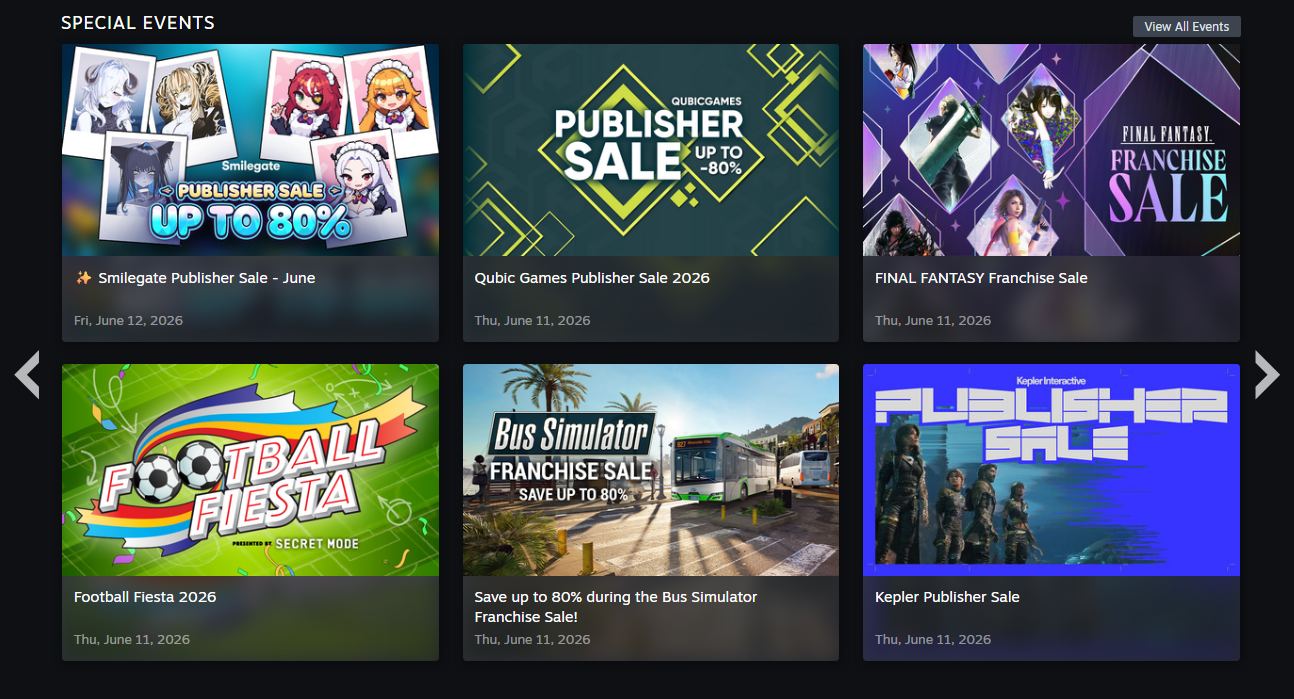
Store Page Banner
Once your Sale Page is published, the associated Store Page banner will appear on the store page of all titles included on the page for a maximum of 2 weeks. These do require Valve approval, so be sure to allow time for edits. You can set these up in the 'Sale' tab of the Event Editor under 'Store Page Banner'.| Example: | This Store Page Banner: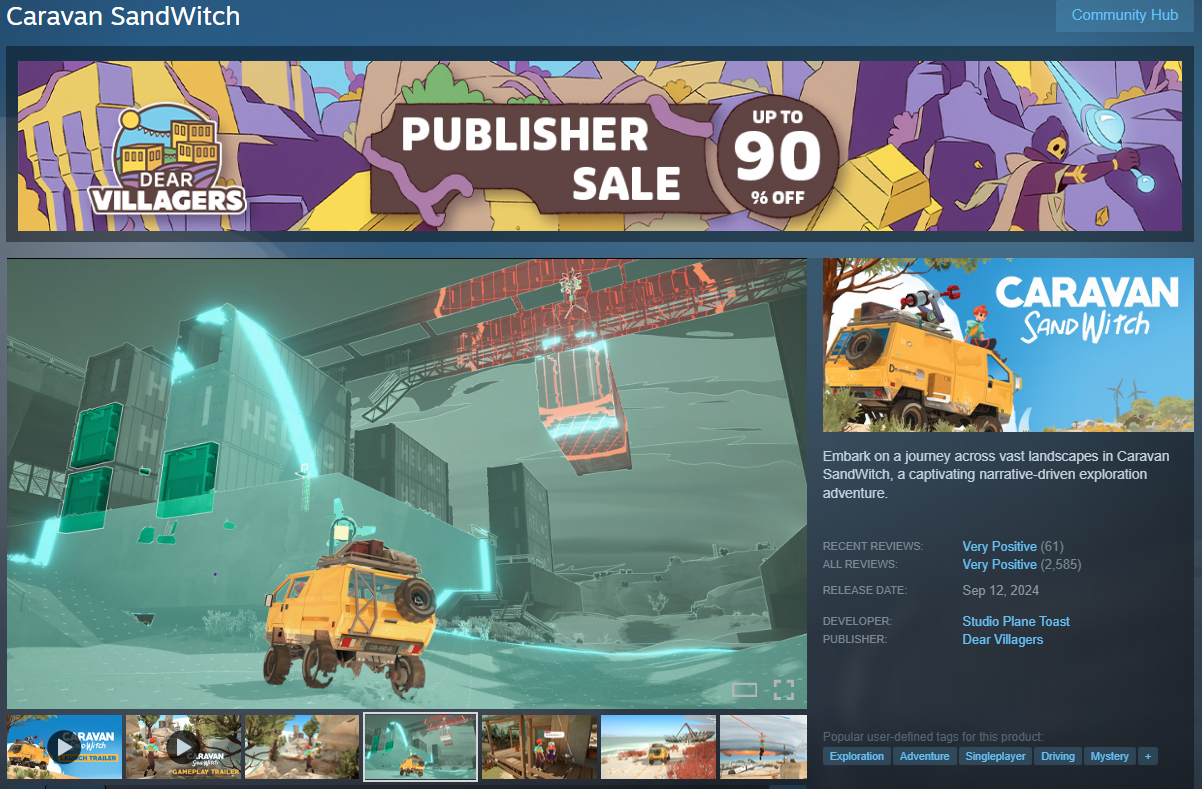 | Links Customers to this Sales Event: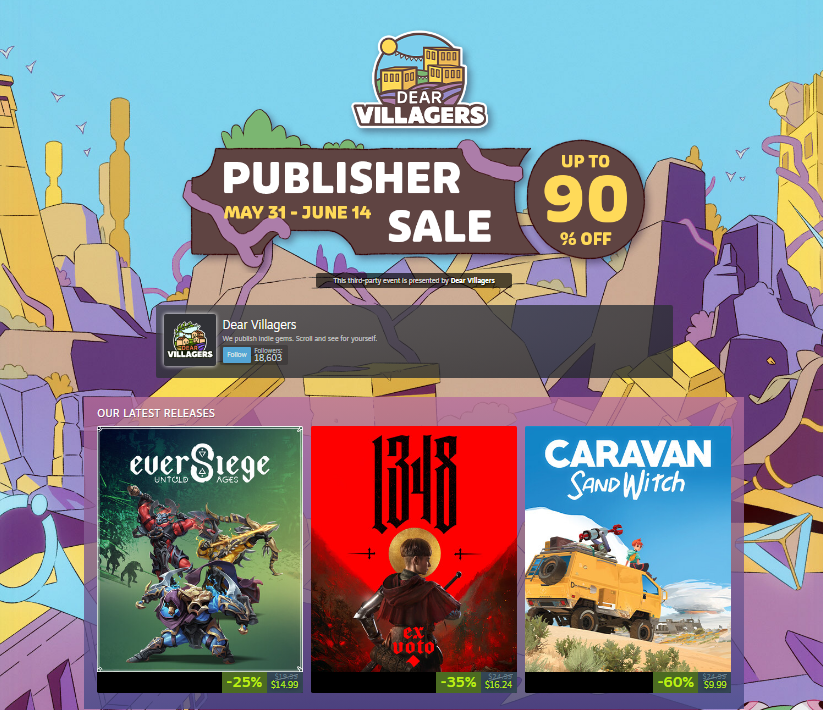 |
|---|
FAQ
Q: I am a franchiser, but don't publish games directly on Steam. Can I host a Franchise Sale?
A: Yes, though it's a slightly different process for third-parties that aren't part of the Steamworks ecosystem. You'll need to follow the same playbook and follow the same guidelines, but some of the management is more manual since you don't have access to the internal Steamworks calendar for reminders and the like.Q: Can the topic of my sales page be a "launch party" for an upcoming game release?
A: Aligning the launch of a new game with a Developer, Publisher, or Franchise Sale Event is allowed, but you'll want to make sure your event stays on topic. For example, the art shouldn't only feature the new title or its characters. The sale page shouldn't be organized around the new title at the top (unless it's on launch discount!).Q: Any best practices to share?
A: Be sure that the page and the art is representative of your whole brand, and isn't focused too heavily on any one title. Our most successful sale pages are ones that have a diverse representation of the catalog, are organized in a way to help customers find what they might want to play (not focused on the newest thing), and feel intentionally designed.Q: I want to run a sale page for an upcoming Seasonal Sale, or an ad-hoc page for all of my June discounts. Can I do that?
A: No. Starting July 9, 2026 at 10am Pacific, Steam will no longer be allowing "adhoc" Developer, Franchise, or Publisher sale pages. Instead, we ask that you use the new Developer & Publisher homepage for these activities. For clarity, this includes pages such as "Developer X's July Sale", "Publisher X's Autumn Sale", and other adhoc pages. Developer, Publisher, and Franchise sale pages are still available once a calendar year regardless of curation status.
You can find more information on the new homepage here: https://steamcommunity.com/groups/steamworks/announcements/detail/533246780877309202
With many of the sale page tools now available for the homepage, we are streamlining the process to reduce the operational overhead previously asked of partners like yourselves. You don't need to request a sale page, nor do you need to have it reviewed. Instead, you can create (and - similar to today, stage and later publish) versions of your homepage to support different activity such as a new game release, a major update, or a catalog-wide sale.



